
Decodie
Your AI learning companion. Turn every coding session into a structured learning trail.
Your AI learning companion. Turn every coding session into a structured learning trail.
Decodie generates structured learning entries as a byproduct of AI-assisted coding. Instead of just getting working code, you get documentation of why each decision was made, what patterns were used, and what alternatives were considered.
Use your AI coding agent as usual
Patterns, decisions, and rationale are captured
Browse entries in VSCode, the web UI, or both
Decodie works however you prefer. Generate entries manually, from your editor, or automatically in CI — then browse them wherever you like.
Seven skills — decodie-observe for real-time documentation, decodie-analyze for retroactive analysis, decodie-explain to understand specific code, decodie-overview to summarize a file or project, decodie-ask to explore entries deeper, and decodie-verify + decodie-flag-stale to keep entries in sync as code drifts.
Browse entries in a sidebar as you navigate code. Right-click to analyze files or selections. CodeLens shows entry titles inline. Built-in Q&A.
Learn about the extension ↓Full browsing experience with lessons, progress tracking, smart filtering, interactive Q&A, and syntax highlighting. Runs locally or via DDEV.
Learn about the UI ↓Automatically analyze changed files in every PR. Uses the Decodie skill under the hood — same quality, zero manual effort. Posts a summary comment and commits entries.
Learn about the action ↓Mention @decodie-bot in any PR comment. Highlight code for an explanation, or ask it to analyze files on demand.
Install once, then use with Claude Code, Gemini CLI, Cursor, and 70+ other AI coding agents.
decodie-observeDocument decisions and patterns in real-time as you code.
decodie-analyzeGenerate entries from existing code. Selective or exhaustive mode.
decodie-explainGet a detailed breakdown of any code — issues, improvements, key concepts.
decodie-askAsk questions about existing entries — go deeper using live source code as context.
decodie-overviewHigh-level summary of a file or project — purpose, structure, entry points.
decodie-verifyConfirm entries still match the code. Stamps with current commit SHA.
decodie-flag-staleFast CI check — flags entries whose source files have changed.
The Decodie extension brings your learning entries directly into VSCode (and Cursor). Analyze or explain code with a right-click, browse entries as you navigate, and ask follow-up questions.
Three tabs — File (entries for the active file), All (every entry in the project with filters), and Entry (full detail view).
Analyze a file or highlighted selection directly from the context menu. Entries are generated with Claude and appear in the sidebar.
Highlight code and right-click → Explain. Get a summary, detailed breakdowns, issues with severity badges, and improvement suggestions. Save as an entry if valuable.
Entry titles appear as clickable text above lines with associated entries. Click to view the full entry in the sidebar.
Ask follow-up questions about any entry. Responses stream in with markdown rendering. Conversations persist across sessions.
Subtle blue dots mark lines with entries. Hover for a summary and a link to the full entry.
Filter the All Entries tab by experience level, decision type, and topic to find what you need.
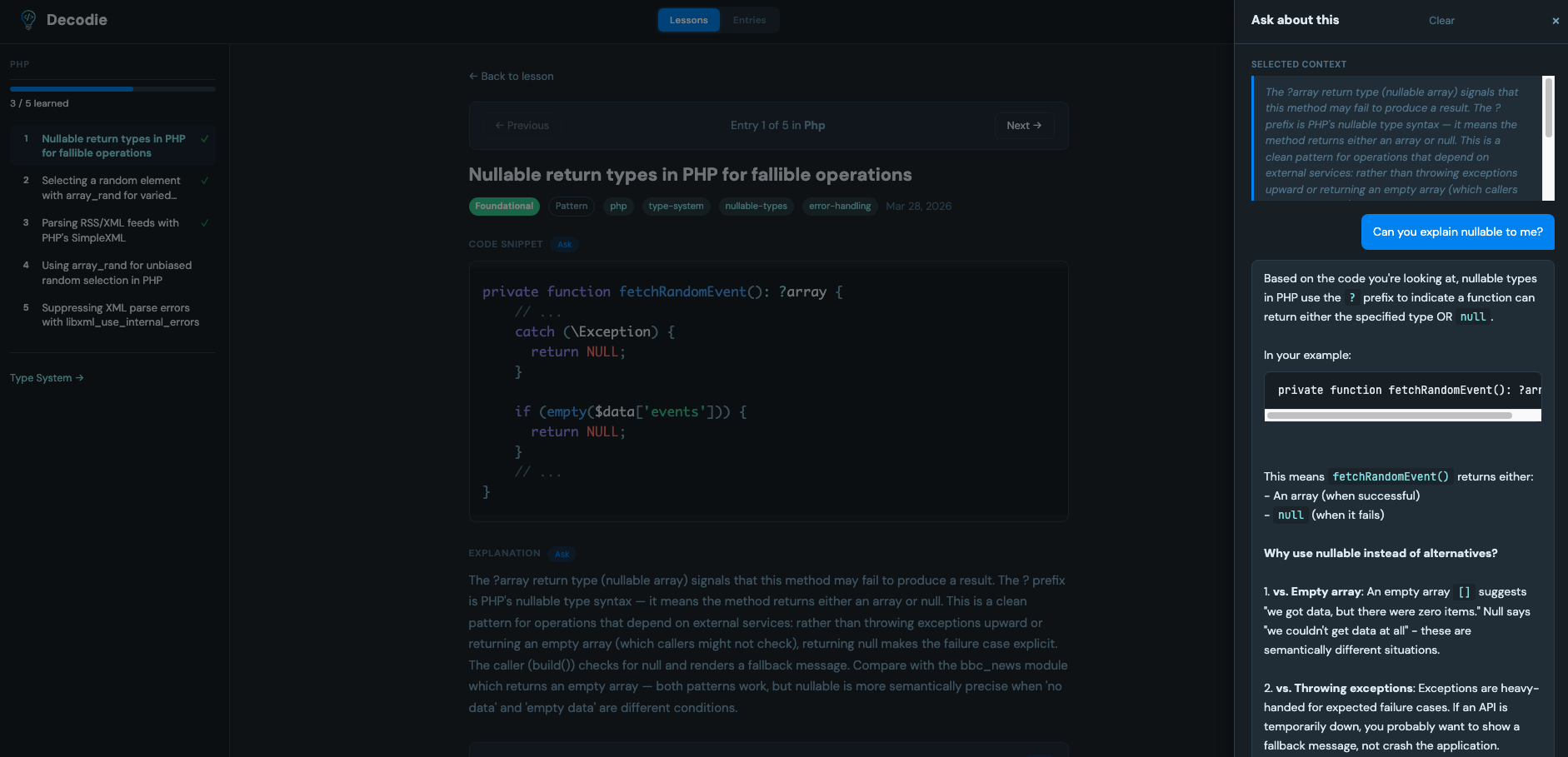
The Decodie UI is a local web app that gives you lessons, progress tracking, filtering, and interactive Q&A — a complete learning dashboard.
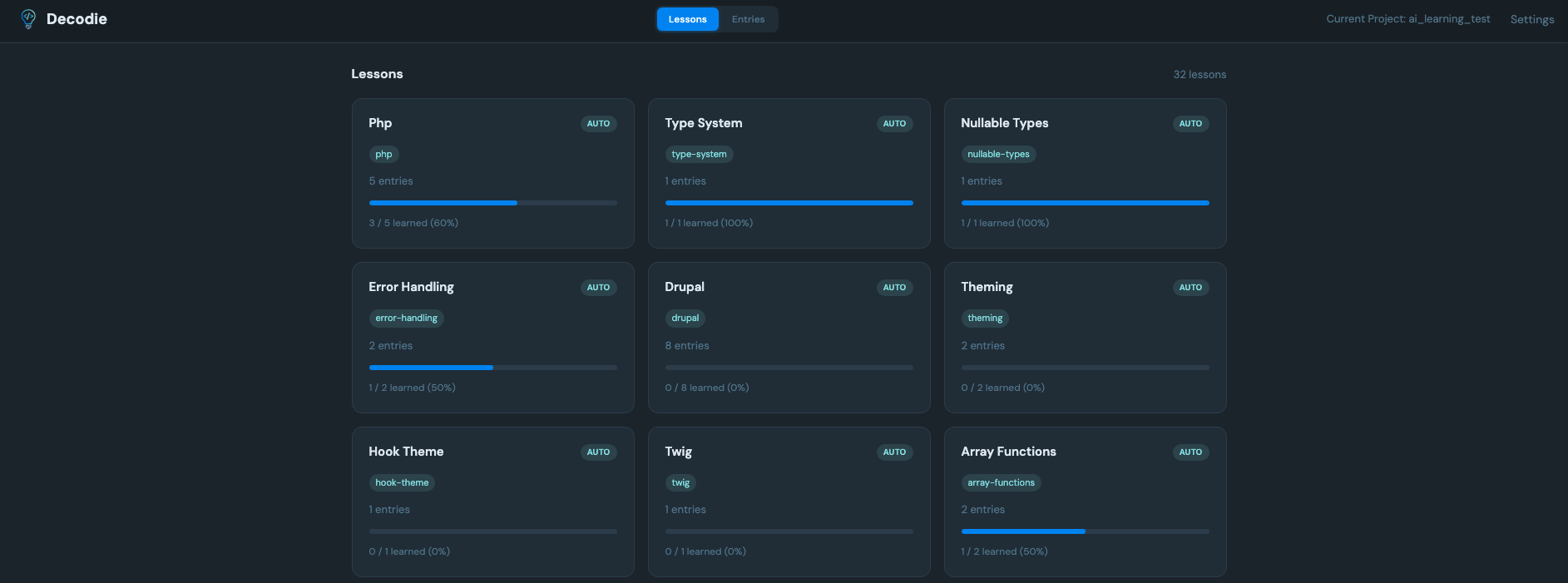
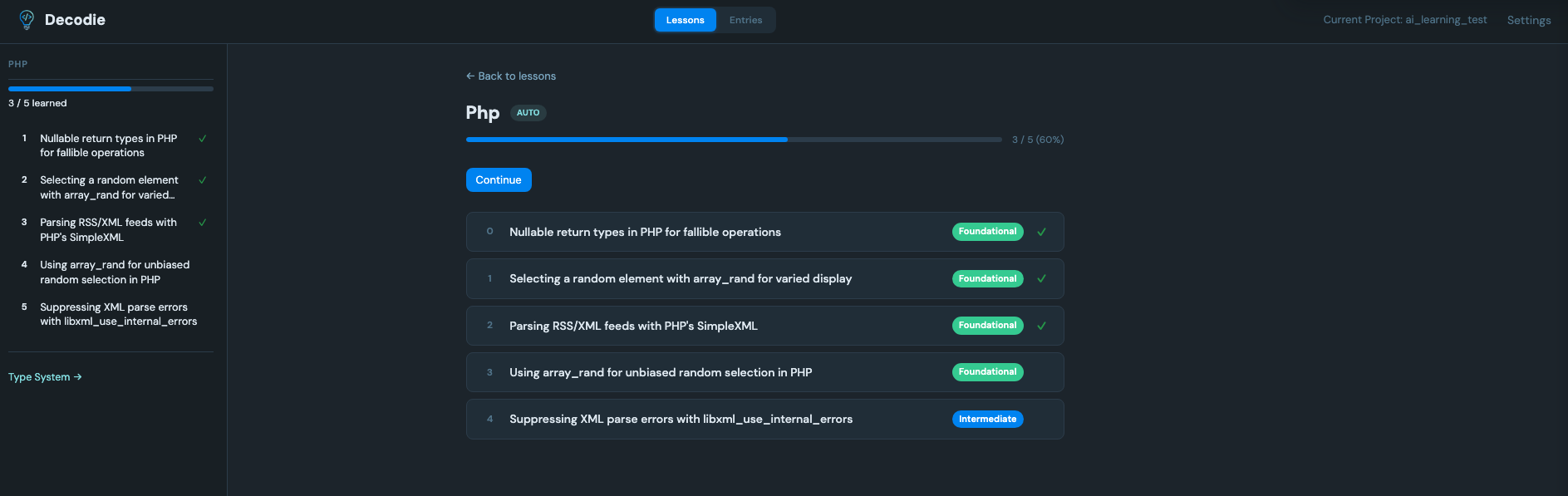
Entries are automatically grouped into topic-based lessons. Create custom lessons with your own ordering and notes.
Mark entries as learned and track your progress through each lesson with visual progress indicators.
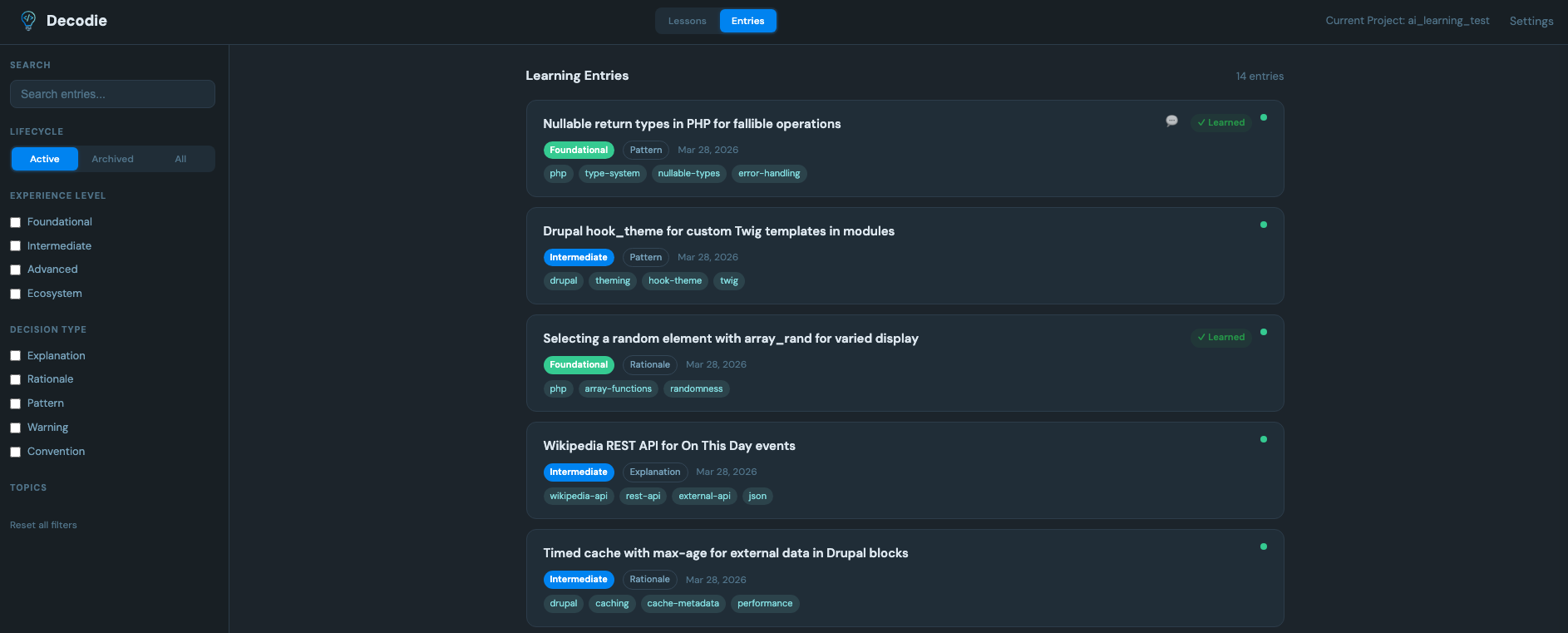
Filter by experience level, topic, decision type, session, and lifecycle. Switch between lesson and entry views.
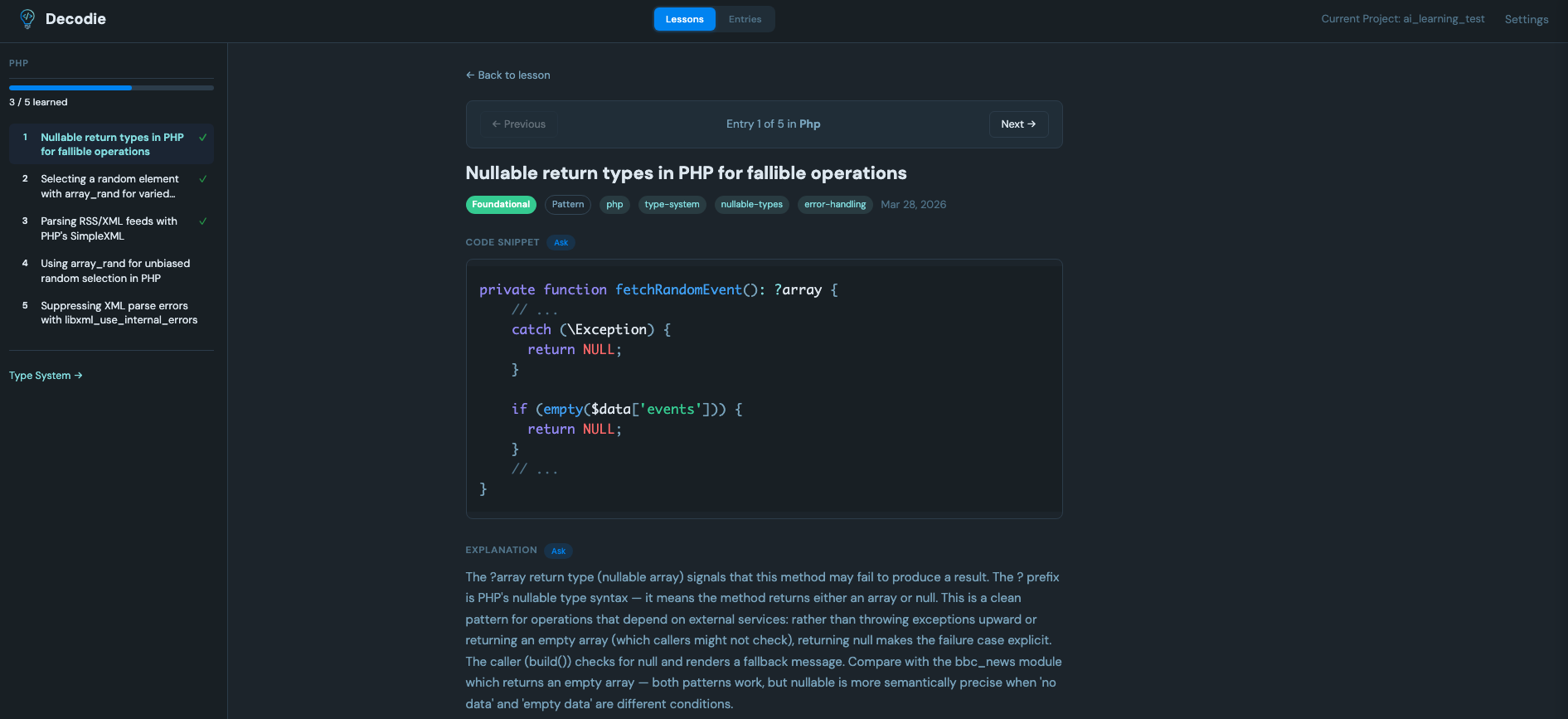
Highlight text in any entry and ask follow-up questions. Conversations are saved and persist across sessions.
Automatic links to php.net, MDN, Python docs, Drupal API, React, Laravel, and more.
Code snippets are displayed with proper highlighting alongside explanations and key concepts.
Add one workflow file and every PR gets analyzed automatically. Posts a summary comment and commits entries to the branch.
Mention @decodie-bot in any PR comment for inline explanations or full analysis on demand.
Pick your path — the docs walk you through setup for each tool.
Everything lives in a .decodie/ directory as plain JSON. Content-based anchoring means entries survive refactoring and formatting changes. Commit it to share with your team, or .gitignore it to keep it personal.
Agent skills for generating and analyzing entries. Compatible with 70+ agents.
Web UI with lessons, progress tracking, and Q&A. Available on npm.
VSCode extension. Available on the Marketplace.
GitHub Action for automatic PR analysis. On the Marketplace.
Interactive bot for on-demand analysis and explanations in PR comments.
DDEV add-on for one-command local setup.
Shared data layer — types, parser, reference resolver. On npm.